







Product Description
Make your favorite photo the star with the Top Text Business Holiday Postcard, featuring a customizable text area that can be changed to any greeting you like and moved to perfectly fit your image. Personalize the colors, wording, and holiday message, then add your team's digital signatures on the back for business Christmas cards with signatures that feel extra personal. Be sure to use postcard postage stamps for these postcards to give them a finished, mail-friendly look. It's a timeless choice for Christmas cards for business that combines festive style with meaningful appreciation.
How to Add a Logo to Your Card
Adding your company logo is quick and easy.
- Click the Add Image icon in the left toolbar of the Product Editor.
- Upload your company logo.
- Once added, you can move, resize, rotate, and position your logo anywhere on your design.
How to Add Digital Signatures to Your Card
Add a personal touch to your holiday card with handwritten digital signatures.
To create your signature:
- Sign your name on a plain white sheet of paper using a dark ink pen (black or blue works best).
- Scan or photograph your signature in good lighting.
- Use a free online background remover to erase the white background (simply search "free background remover" in your browser).
- Save your file as a PNG to preserve the transparent background. (PNG is preferred, but high-resolution JPG, PDF, and TIFF files are also supported.)
To add your signature to your card:
- Click the Add Image icon in the left toolbar of the Product Editor.
- Upload your signature file just as you would upload a photo.
- Resize, rotate, and position your signature anywhere on your design.
Recommended

Thankful - Business Holiday Card
Starting At $2.89
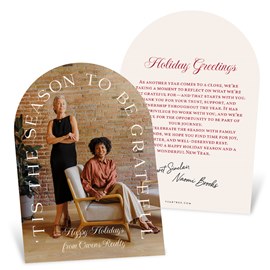
Season of Gratitude - Business Holiday Card
Starting At $2.69

Modern Merry - Business Holiday Card
Starting At $3.19

Contemporary Cheer - Business Holiday Card
Starting At $3.19
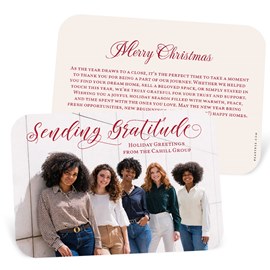
Sending Gratitude - Business Holiday Card
Starting At $2.69

Scripted Cheer - Business Holiday Postcard
Starting At $1.99

With Gratitude - Business Holiday Card
Starting At $3.19
Business Logo - Envelope Seals
Starting At $0.69
Related Products

Top Text - Christmas Card
Starting At $2.89
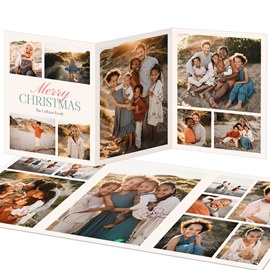
Joyful Moments - Christmas Card
Starting At $3.39
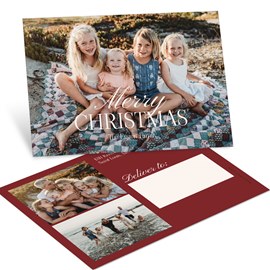
Font Duo - Christmas Postcard
Starting At $1.99
Customer Reviews